 ManaPal
How to scan MTG cards with your iPhone
Short answer: use a card scanner app. Put each card on a plain, dark surface in soft, even light, fill the on-screen frame with one card at a time, check the set and foil before you move on, and scan in batches sorted by set. The app recognizes the card, logs the printing and pulls its price, so a few hundred cards take an evening instead of a weekend of typing.
Before you start: five minutes of prep saves an hour
- Sort first. Group cards by set (or at least by color). Scanning a stack from the same set means the printing is right more often and you check it less.
- Unsleeve shiny cards. Sleeves add glare. Matte sleeves are usually fine; glossy ones and toploaders are not.
- Pick a plain, dark background. A playmat or a dark table gives the camera clean edges to find.
- Use soft light. Daylight from a window or a ceiling light is better than a desk lamp pointing straight down.
- Decide where cards go. Collection, a binder for trades, or a specific deck: knowing this in advance avoids sorting twice.
Step by step: scanning a stack of cards
- Frame one card. Hold the phone parallel to the card, about 15–20 cm (6–8 in) above it, so the card fills the guide on screen.
- Hold still for a moment. Wait until the card is recognized; moving too early is the main cause of wrong matches.
- Check the printing. On modern cards the set code and collector number are printed in the bottom-left corner (for example "LTR · EN" and "0246"). If the app picked a different printing, change it now: prices can differ a lot between printings.
- Mark foils. A foil is usually worth more than the regular version, so flag it before adding the card.
- Add and move on. Put the scanned card in a "done" pile face down so you never scan it twice.
- Review the batch. At the end, look at the summary: number of cards and total value. If something looks off (a common worth $80?), check that card's printing.
Tricky cards and how to handle them
- Foils and etched foils: tilt the card a few degrees until the glare leaves the name and text box.
- Borderless, showcase and full-art cards: they don't have the usual frame, so give them a second longer and confirm the version afterwards.
- Old cards without a set code: older printings don't have the code in the corner; check the expansion symbol and pick the set by hand if needed.
- Cards in other languages: scan them as usual, then make sure the card's language is right, as it can affect price.
- Damaged cards: creases and heavy wear can confuse recognition; if a card is not found, search for it by name.
Already tracked your cards in another app?
You don't have to start over. Most collection apps and sites can export a CSV file: ManaBox, Moxfield, Archidekt, Delver Lens, Dragon Shield, Deckbox, TCGplayer and Cardmarket all do. Export the file, then import it into the new app and only scan the cards you've bought since.
How to do it with ManaPal
- Open the Collection tab and tap the camera button.
- Point the camera at a card: ManaPal recognizes it and shows its price right away.
- Tap Set to choose a different printing and Foil if it's a foil.
- Turn on Add instantly to keep scanning without confirming each card.
- Open Summary to see how many cards you've added and their total value.
- To bring a list from another app, go to Add cards → Import and pick your CSV file.
Everything syncs through your iCloud to your other iPhone or iPad.
Coming soon on theApp Store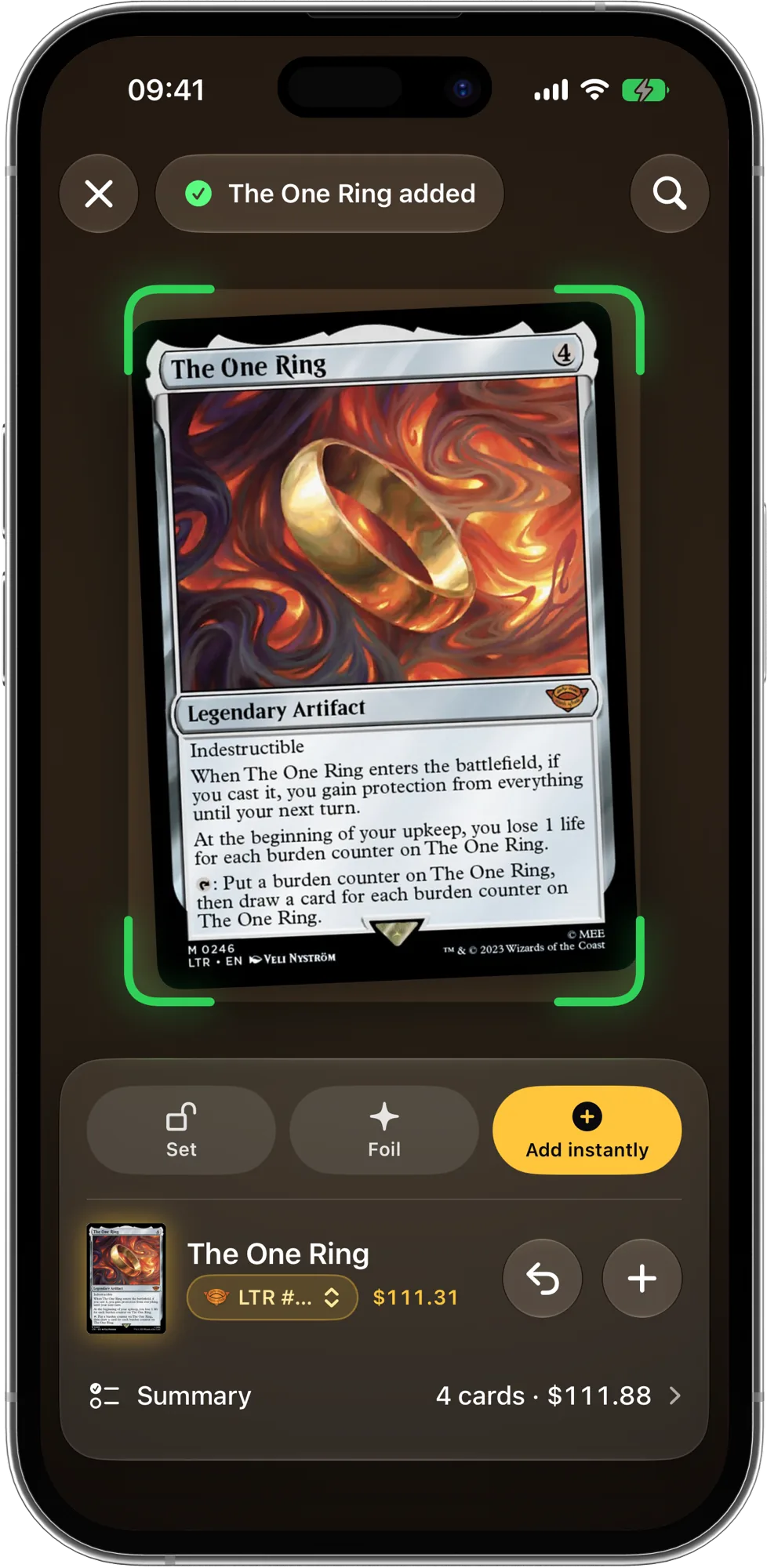
FAQ
Do I have to scan cards I already logged in another app?
No. Export your collection as a CSV from ManaBox, Moxfield, Archidekt, Delver Lens, Dragon Shield, Deckbox, TCGplayer or Cardmarket and import it into ManaPal.
How do I scan foil cards without glare?
Use diffuse light instead of a direct lamp, tilt the card slightly until the reflection leaves the name and text box, and mark the card as foil before adding it so the right price is used.
Is the ManaPal scanner free?
Yes. The scanner, the collection and card prices are part of ManaPal's free features.